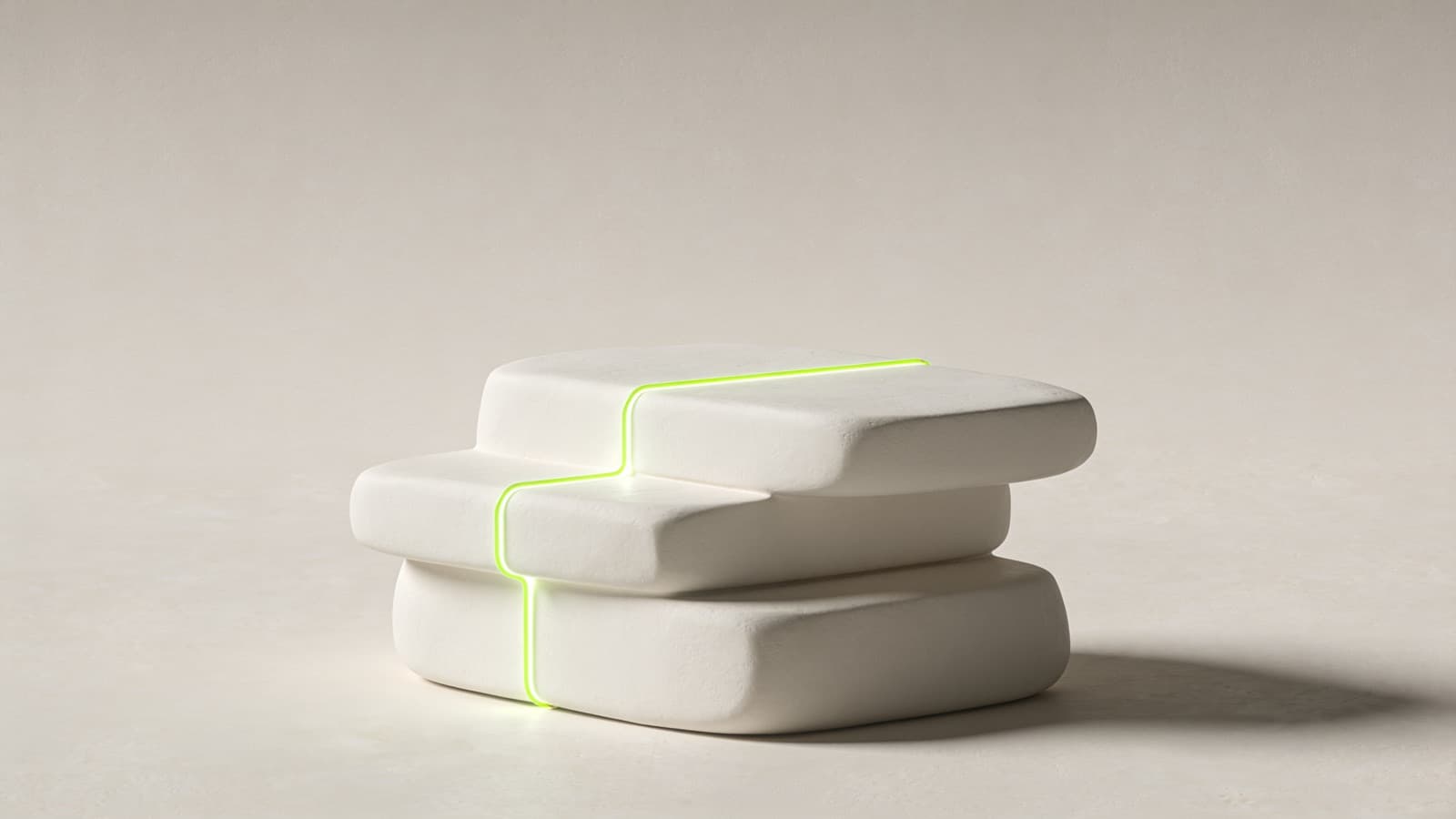
One workspace for the coach, one app for the client
A coaching platform for a large gym chain: trainers run their whole practice from one web workspace, and every client gets an app that tells them exactly what to do next.

2×
faster weekly review per client, the target for the rollout
5
tabs in the client app
12 wks
of coaching simulated before release
2
platforms, iPhone and Android
Challenge
The chain's personal trainers each ran their clients from their own mix of documents, chat threads and spreadsheets. Trainers could not see who needed them, clients did not know what to do next, and a weekly review took longer to prepare than to give. The chain wanted one way of working that trainers would actually keep up, and that made the client's side as easy as opening an app.
Solution
Start from the trainer's week
We mapped the routine every trainer already follows: notice, review, decide, update the plan, communicate, follow up. The product is built around that, not around a feature list.
A workspace for the coach
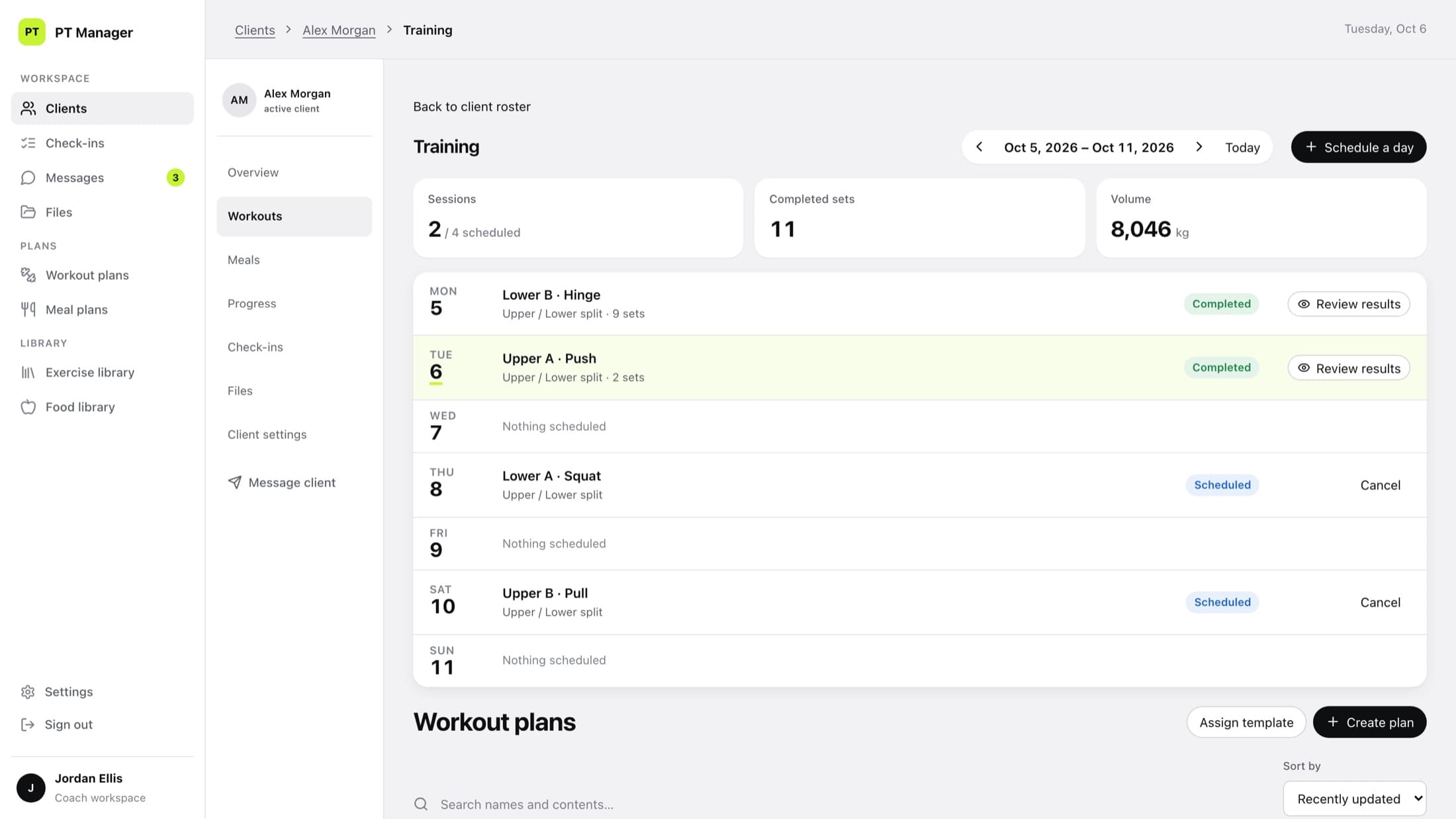
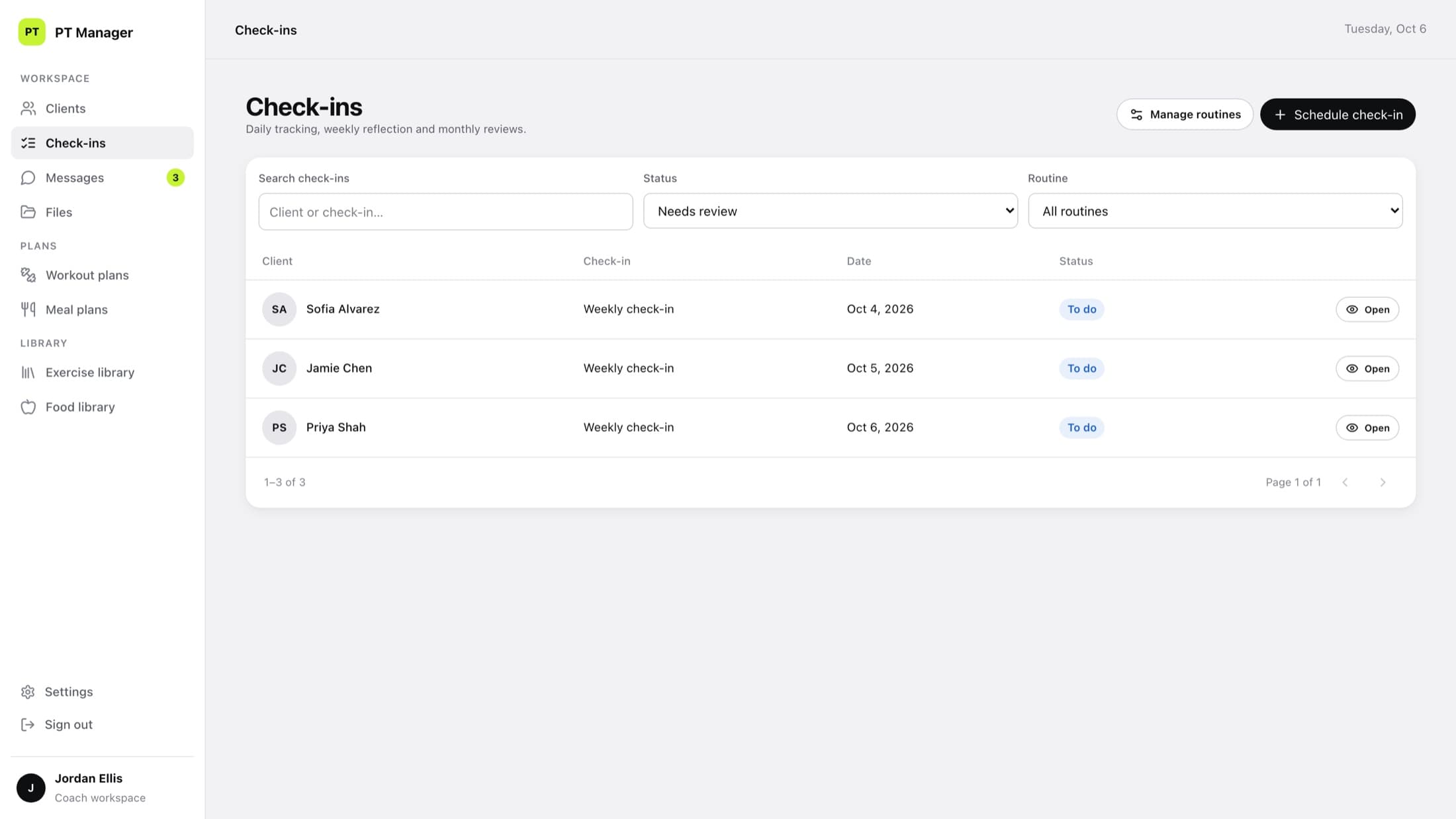
Roster, client overview, plan builder, check-in queue and messages in one web workspace.
An app for the client
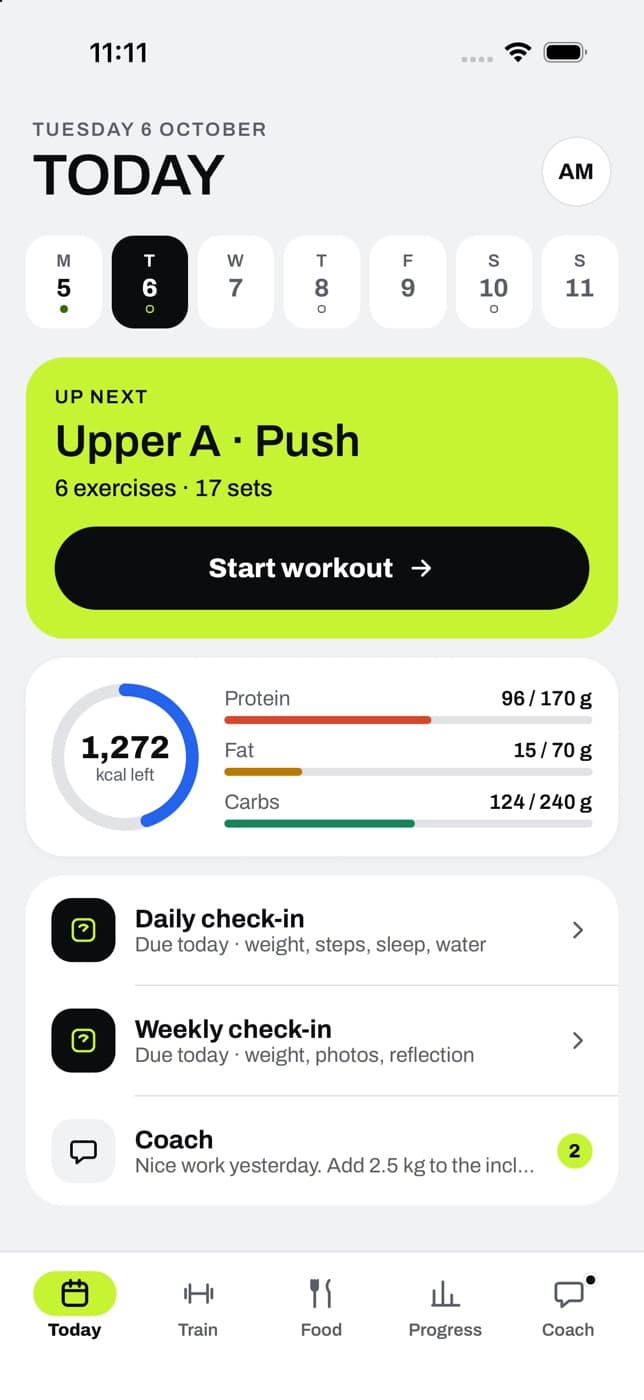
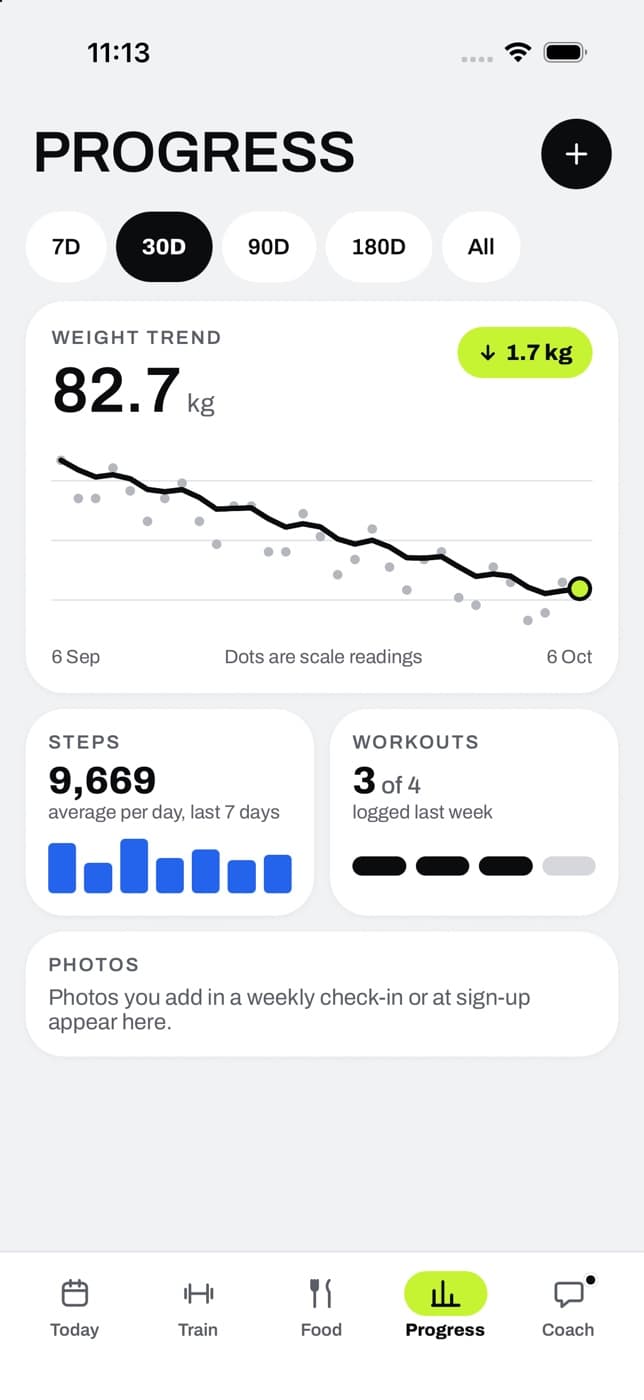
A native app for iPhone and Android with five tabs: Today, Train, Food, Progress and Coach.
Take things out
Rounds of testing and review to remove whatever slowed the daily routine down.
Results
The workspace and the client app are built and tested end to end, including a twelve-week simulated coaching run. Usage figures from the chain's trainers will be added here once the rollout has run long enough to measure. The target we measure against is a weekly review per client in half the time.
(01)
A practice spread across too many places
A personal trainer does not sell a plan. They sell attention: knowing what each client did this week and what to change next. At the chain, that attention was spread thin. Plans went out as documents, results came back as chat messages and photos, and bodyweight lived in a spreadsheet per client.
Nothing was broken enough to stop the work, which is why it stayed that way. But every weekly review started with collecting, not coaching.
01
Who needs me today?
A trainer could not see at a glance which clients had sent something in or had gone quiet.
02
What do I do next?
Clients opened a document to find today's session, then logged it somewhere else, or not at all.
03
Where is last week?
Reviewing one client meant pulling numbers out of several apps before any coaching could start.
(02)
What the coach sees now
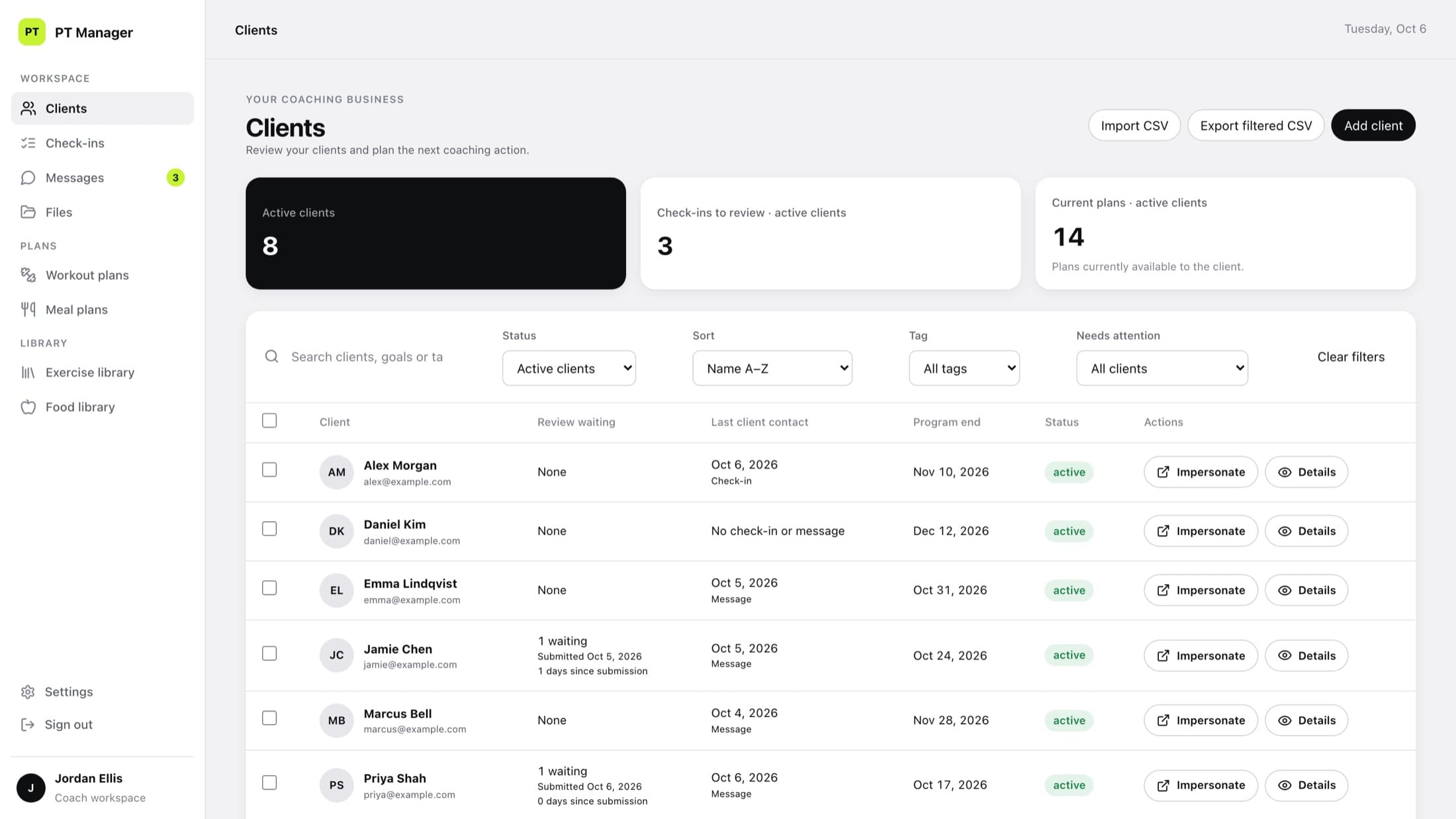
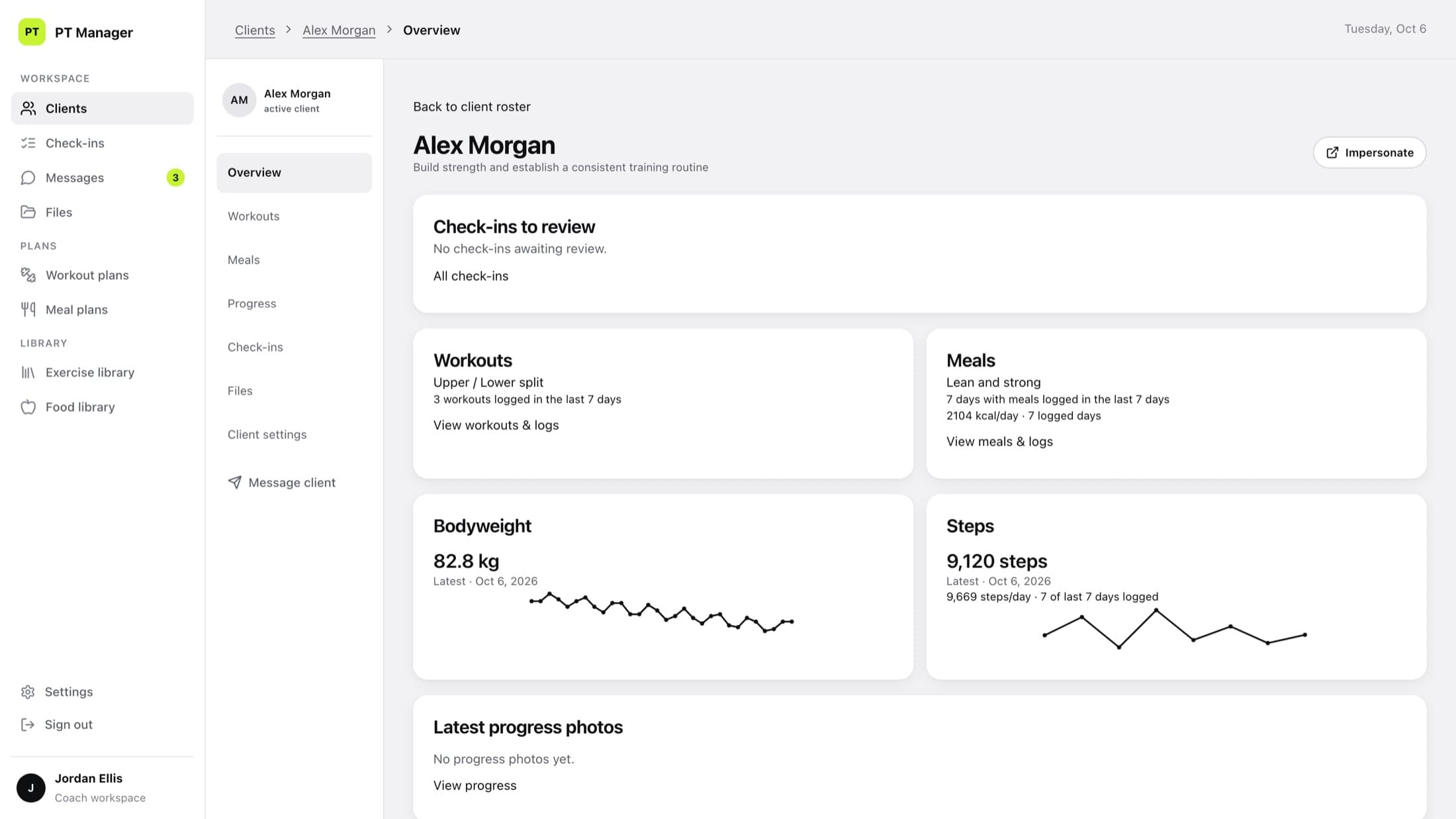
The workspace opens on the roster, sorted by who is waiting for a review. From there every client is one click away, with the whole week on a single page.
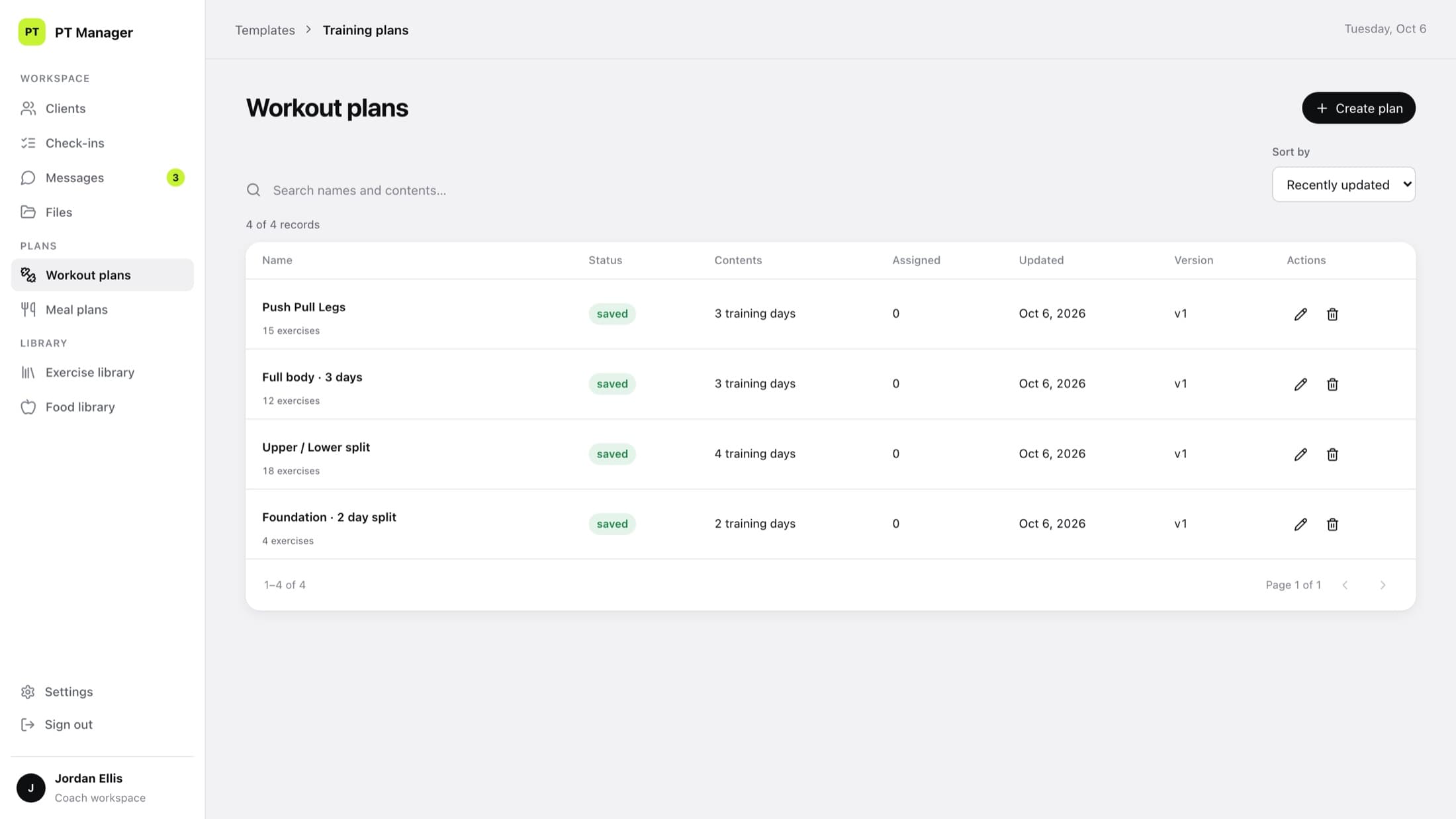
Plans are built once and assigned as each client's own copy, so changing one person's programme never touches anyone else's. What the coach prescribed and what the client actually did are kept apart, which makes the difference between the two easy to see.
01
See who needs you
Reviews waiting, last contact and programme end date for every client, in one list.
02
Open a client
Workouts logged, meals, bodyweight and steps together on one overview.
03
Build once, assign
Workout and meal plans with a scheduled training week for each client.
04
Review and reply
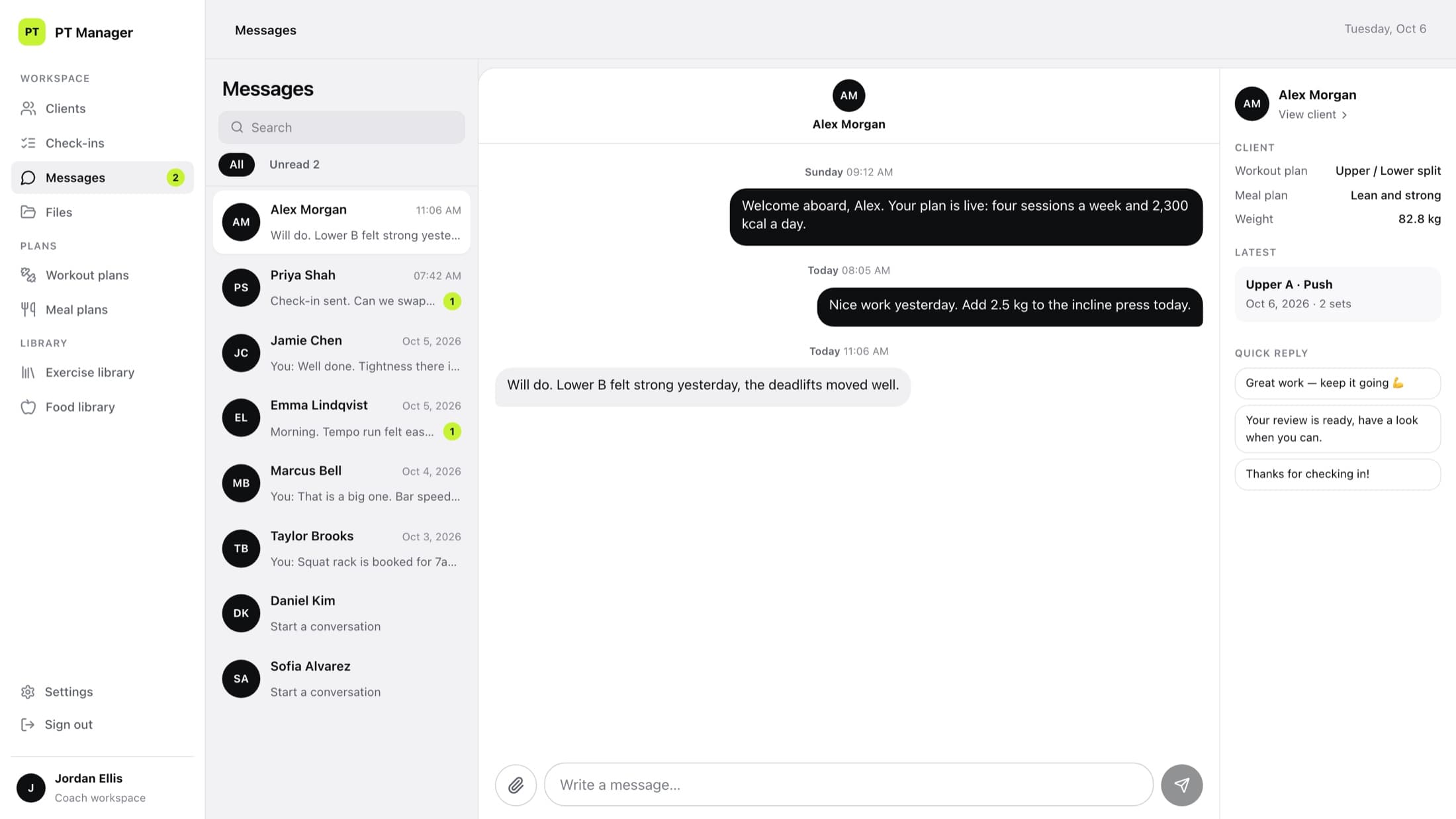
Check-ins land in a queue; the answer goes out in messages, in the same place.
(03)
What the client sees now
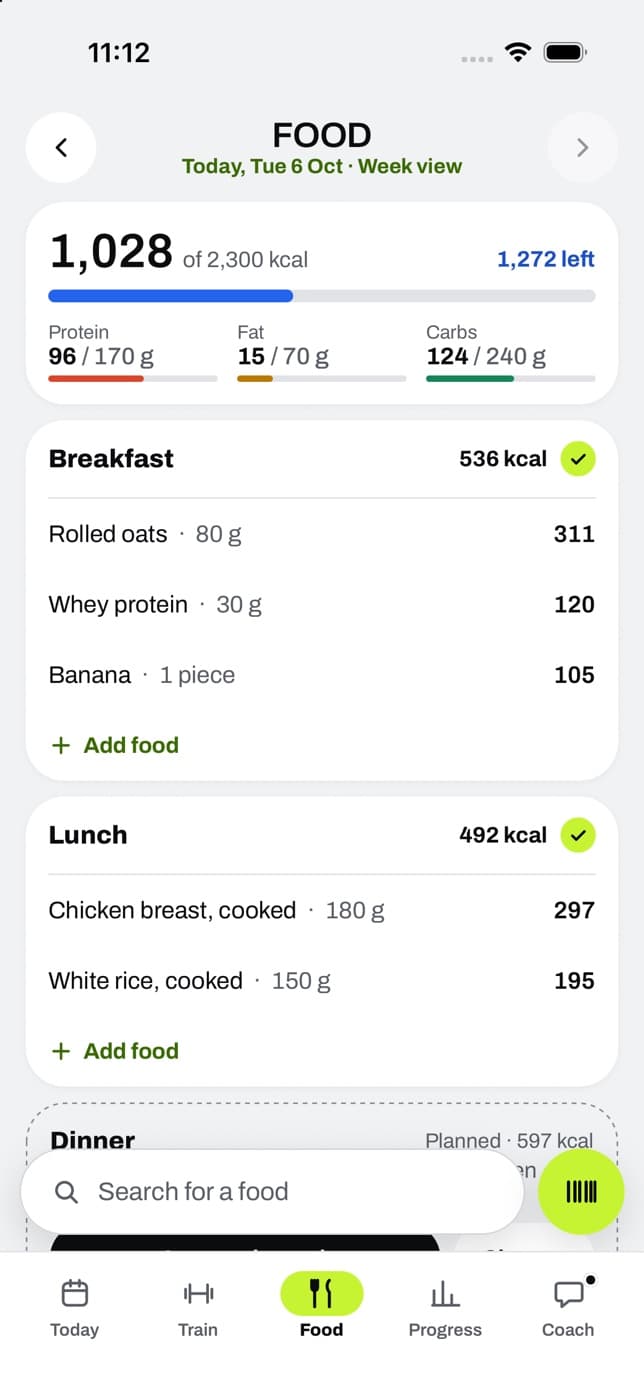
Clients get an app with one job: tell them what to do next. Today shows the next workout, the calories left and anything that is due. There is nothing to look up and nothing to copy over.
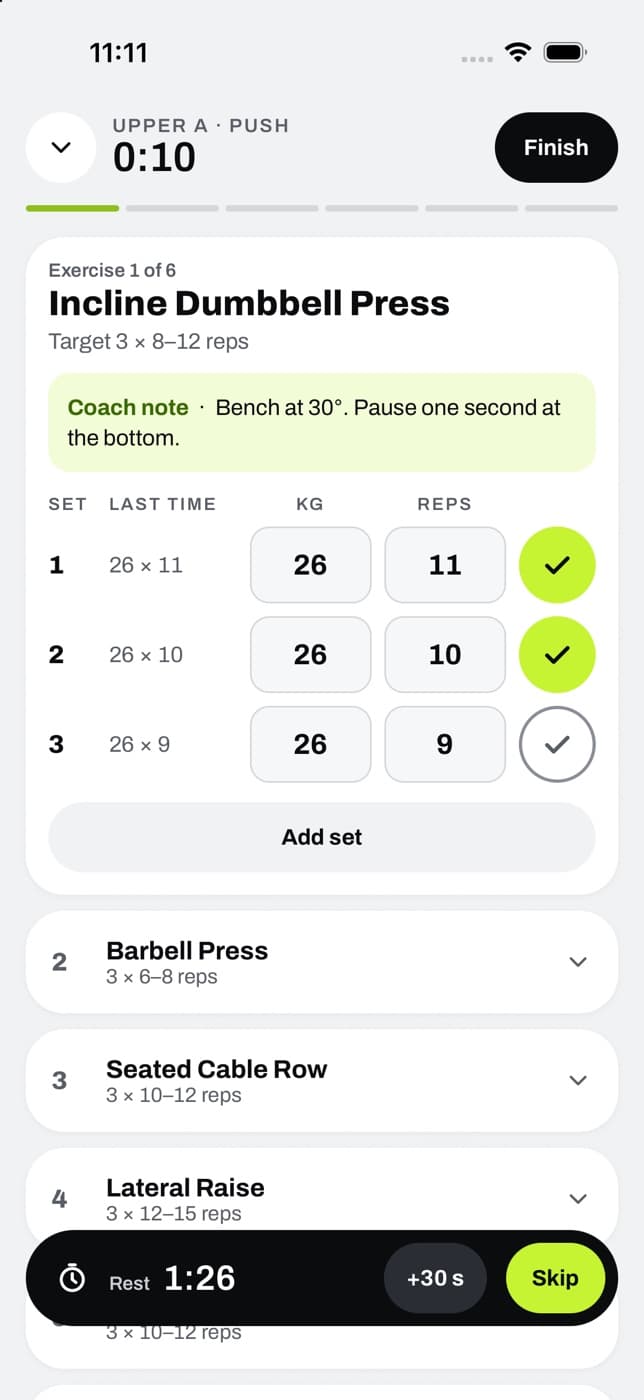
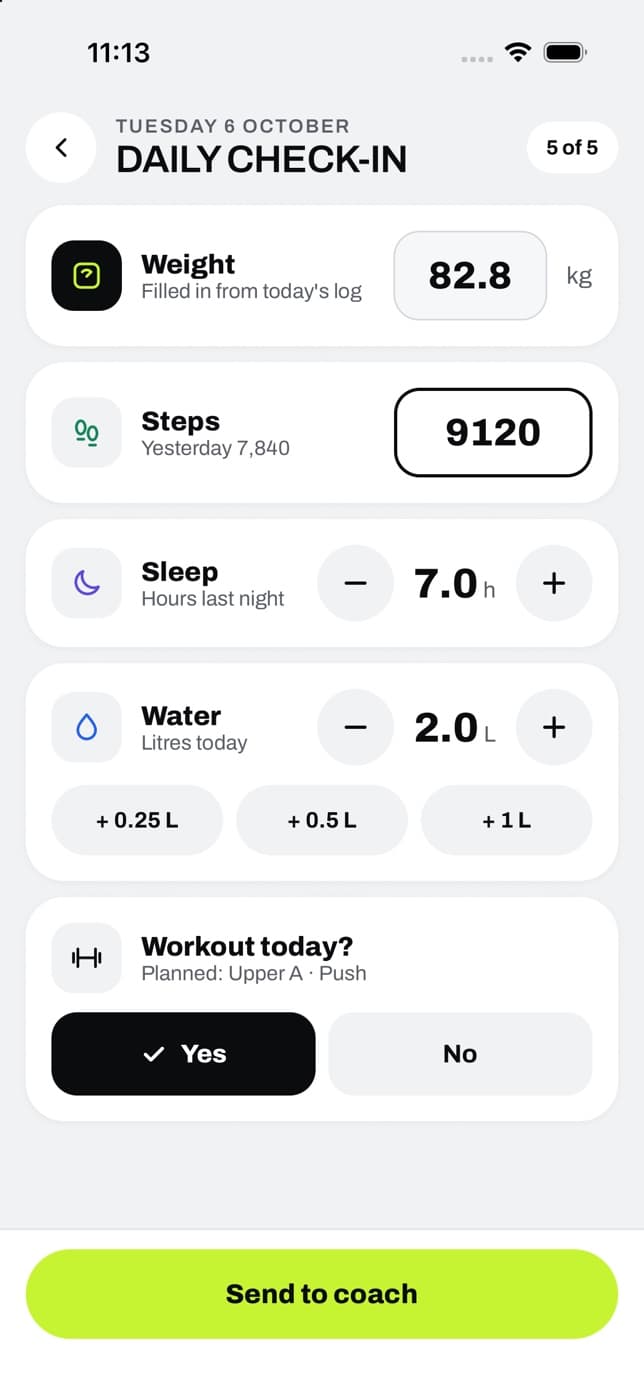
Logging is built to take seconds, because anything slower does not get done. Sets are entered against last time's numbers with the coach's note beside them. Food is searched or scanned by barcode. A check-in sends weight, sleep and steps to the coach in one go.
01
Today
The next workout, calories left and what is due.
02
Train
Every set against last time, with the coach's note.
03
Food
Search or scan, and watch the targets fill.
04
Check-in
Weight, sleep and steps, sent in seconds.
(04)
The loop that makes it work
The two sides are one system. Whatever the client does in the app appears in the coach's workspace without anyone sending it, and whatever the coach changes is what the client sees the next time they open Today.
That closes the loop every good trainer already runs in their head, and takes the collecting out of it.
01
Plan
The coach assigns the programme and the week.
02
Do
The client trains and eats, and logs as they go.
03
Check in
Weight, sleep, steps and a short reflection.
04
Review
The coach sees plan and result side by side.
05
Adjust
A change to the plan, a message, and the next week starts.
(05)
Made simpler on purpose
Most of the design work was taking things away. Features that sounded useful but slowed the daily routine were removed from the product. Editing a plan has one Save, with a warning if you leave before using it. Logging a meal that is already in the plan went from three actions to one tap.
Before anyone used it, we ran twelve weeks of simulated coaching through the whole system, day by day, to find where the routine caught.
- taps to log a planned meal
- 3 → 1
- weeks of coaching simulated before release
- 12
- meals logged in that simulation
- 672
- automated checks passing
- 276
(06)
The film
A one-minute walk through both sides, made from the real screens: first the coach's workspace, then the client's app.
Similar work
Web apps
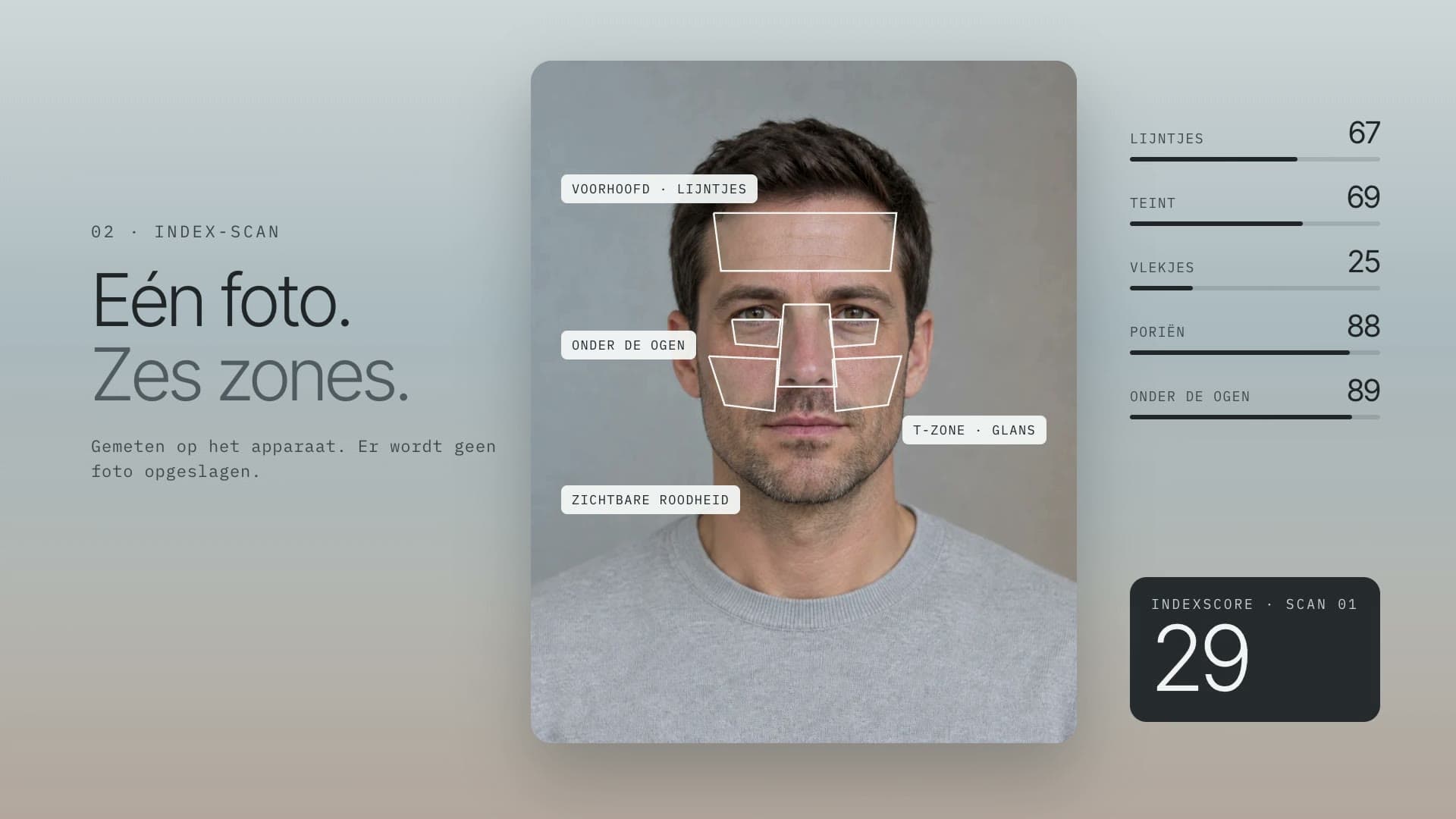
Aetrium: skincare guided by face analysis technology
A commerce backend, an admin, the product line and its content, and an on-device face scan that turns a measurement into a routine from the line, for a science-led skin and body care brand.
27data models in the backend
Next.jsReactTypeScriptFastify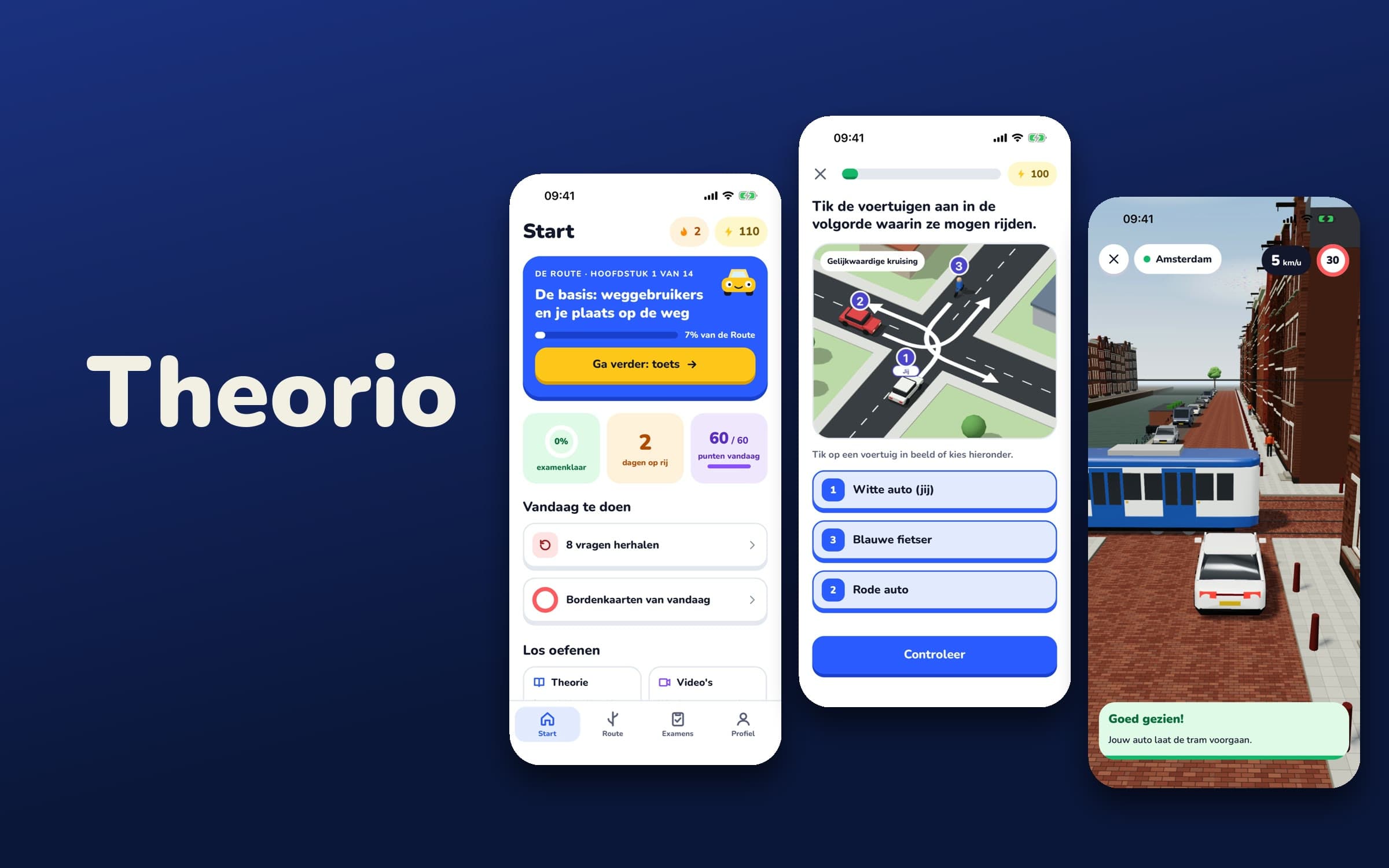
Mobile apps
Theorio: a Dutch car theory app with its own 3D traffic engine
Our own product. An Expo app for the Dutch car theory exam where every traffic situation is generated and solved by a rules engine, drawn in three.js inside the app, and explained with the article of law behind it. It also lets you drive an Amsterdam canal street in 3D.
1,200generated 3D traffic situations
ExpoReact Nativethree.jsTypeScript
Next step
Want something like this?
Tell us about your version of this problem.